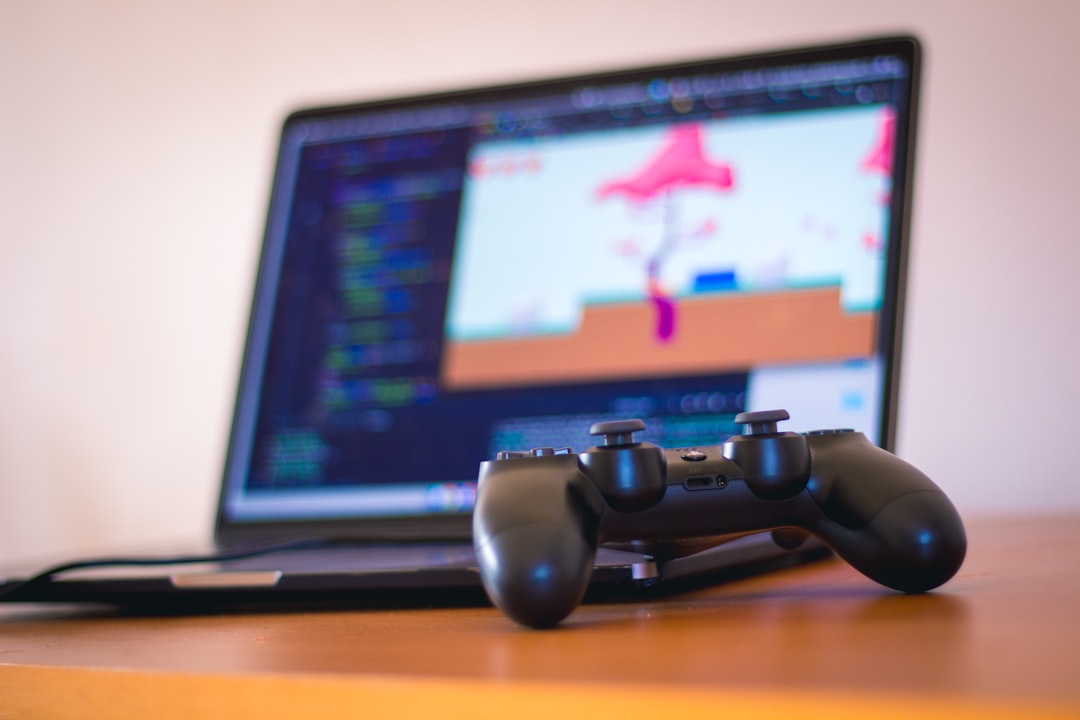
Embarking on the path of game development is like tackling the ultimate strategy game. It has complex systems, challenging bosses, and a victory screen that is immensely rewarding. Many aspiring creators get stuck on the character select screen, overwhelmed by choices in engines, languages, and disciplines. This guide is your tactical playbook. We will bypass the analysis paralysis and provide a clear, step-by-step walkthrough to get you from a blank screen to a finished, playable project.
The Objective: Defining Your First Game Development Victory
Before you can beat a level, you must understand the win condition. For your first project, the objective is not to create the next AAA blockbuster or a viral indie hit. Attempting to do so is the equivalent of trying to fight the final boss at level one—a guaranteed failure.
Your true objective is to complete a small, functional game from start to finish. Victory means learning the entire development pipeline: from initial idea to a playable build. This finished project becomes your proof of concept, a powerful portfolio piece, and the foundation for every game you will make afterward. Winning is about mastering the process, not achieving commercial success on your first try.
Preparation: Assembling Your Game Development Toolkit
Every successful mission begins with the right loadout. In game development, your loadout consists of the role you choose to play, the engine you wield, and the supporting tools that streamline your workflow. Rushing this phase leads to frustration and wasted time down the line.
Choosing Your Role: The Core Classes of Development
While large studios have dozens of specialized roles, indie development typically starts with one of three core “classes,” or a combination of them.
- The Programmer: This is the architect who builds the game’s logic and systems. They write the code that makes a character jump, an enemy fire a projectile, and the score increase. If you enjoy problem-solving, logic puzzles, and understanding how things work under the hood, this is your class.
- The Artist: The artist creates the visual and auditory experience. This includes 2D sprites, 3D models, user interface (UI) elements, and sound effects. If you have a passion for visual design, animation, or music, you will gravitate toward this path.
- The Designer: The designer is the master of rules and player experience. They craft the core mechanics, design the levels, balance the difficulty, and ensure the game is, above all, fun. This role is less about technical execution and more about the psychology of play.
- The Solo Developer (Generalist): For a first project, you will likely be a Generalist, wearing all three hats. This is the most effective way to understand how all the pieces of a game fit together.
Selecting Your Game Engine: The Right Tool for the Job
A game engine is the foundational software on which you build your game. It provides rendering, physics, audio, and other core functionalities out of the box. Choosing the right one is critical. Here are the top contenders for new developers in the current year.
- Unity: A highly versatile engine capable of creating both 2D and 3D games for nearly any platform. It uses the C# programming language, which is a great starting point for new coders. Its massive community and Asset Store provide unparalleled support and resources. Equip this if you want a flexible, all-around option with a huge knowledge base.
- Unreal Engine: The powerhouse for high-fidelity 3D graphics. While its C++ foundation can be steep for beginners, its “Blueprints” visual scripting system allows you to create complex game logic without writing a single line of code. Equip this if your focus is on cutting-edge 3D visuals and you prefer a visual, node-based workflow.
- Godot Engine: A rising star in the open-source world. Godot is incredibly lightweight and intuitive, with a simple scene-based structure that many find easier to grasp. It uses its own Python-like language, GDScript, which is famously beginner-friendly. Equip this if you value speed, a simple workflow, and want a completely free, open-source tool.
Coach’s Recommendation: For your first project, start with Godot or Unity. Their learning curves are more manageable, and their communities are geared toward helping beginners overcome initial hurdles.
Essential Supporting Software
Beyond the engine, a few key tools are non-negotiable for a serious development workflow.
- Version Control (Git): Think of Git as a system of infinite save slots for your entire project. It allows you to track changes, revert to previous versions if you break something, and collaborate with others. Use a service like GitHub or GitLab to host your project. Learning basic Git is not optional; it’s your safety net.
- Art & Audio Tools: You need software to create assets. For a beginner’s toolkit, consider:
- 2D Art: Krita (free, powerful), Aseprite (paid, industry standard for pixel art).
- 3D Modeling: Blender (free, incredibly powerful, industry standard).
- Audio: Audacity (free, for recording/editing sounds), LMMS (free, for creating music).
The Walkthrough: A Step-by-Step Strategy for Your First Game
With your loadout confirmed, it’s time to execute the mission. We will approach this like a three-phase boss battle: Pre-Production, Production, and Post-Production. Follow these steps precisely to avoid common traps.
Phase 1: Pre-Production – Blueprinting Your Success
This is the planning phase. Skipping this is like running into a dungeon without a map. You will get lost, waste resources, and ultimately fail.
- Establish a Micro-Scope Concept. Your first idea is almost certainly too big. Cut it in half, then cut it in half again. Think “single-screen,” “one mechanic,” “three-minute experience.” Good examples: An endless runner with one obstacle type, a Pong clone, a top-down shooter where you survive for 60 seconds.
- Define the Core Gameplay Loop. This is the single sequence of actions the player repeats over and over. For Pac-Man, it’s: Navigate Maze -> Eat Dots -> Avoid Ghosts. For a platformer, it’s: Run -> Jump -> Reach Goal. Write your game’s loop down in one sentence. If you can’t, your idea is too complex.
- Write a One-Page Game Design Document (GDD). This is your tactical briefing. It is not a 100-page novel. It is a single document that answers these questions:
- Game Concept: A one-paragraph summary.
- Core Loop: The sentence you just wrote.
- Controls: How does the player interact? (e.g., Arrow keys to move, Space to jump).
- Win/Loss Conditions: How does the player win? How do they lose?
- “Minimum Viable Product” (MVP) Feature List: A bulleted list of the absolute bare-minimum features needed for the game to be playable. (e.g., Player movement, one enemy type, a scoring system). Stick to this list ruthlessly.
Phase 2: Production – Building the Machine
This is where you build the game. The key is to work from the inside out, starting with the core mechanics and expanding from there. Do not start by making pretty art.
- Prototype the Core Loop with Primitive Shapes. Before you create a single sprite or model, build your core loop using simple squares, circles, and capsules. This is often called “grey-boxing.” Can you make a cube jump and land on a rectangle platform? Is it responsive? Is it even remotely fun? Finding the fun factor early is the best strategy to win at a game, both for the player and for you, the developer. If the core mechanic isn’t engaging with simple shapes, no amount of beautiful art will save it.
- Write the Essential Code. Focus only on the scripts needed for your MVP feature list. This includes player controllers, enemy behavior (if any), and the rules that govern the win/loss states. Keep your code clean and comment it. You will thank yourself later.
- Implement Placeholder Assets. Once the mechanics feel right, find free or temporary assets to replace your grey-box shapes. Use asset stores like Kenney.nl or the Unity Asset Store / Unreal Marketplace. The goal here is functionality, not final aesthetics. This allows you to get a better feel for the game without sinking hundreds of hours into art that might be thrown away if the design changes.
- Build the User Interface (UI). Add the essential UI elements. This includes a start screen, a score display, a health meter, and a “Game Over” or “You Win” screen. A functional UI is what makes your prototype feel like a real game.
Phase 3: Post-Production – Polishing and Shipping
Your game is now “feature complete,” but it’s not finished. This final phase is about refining the experience and preparing it for others to play.
- Hunt and Exterminate Bugs. Play your game repeatedly. Try to break it. Write down every bug you find, from minor visual glitches to game-crashing errors. Work through the list methodically, fixing one bug at a time. This is a test of patience and diligence.
- Conduct Playtesting Sessions. You are too close to your project to see its flaws. You need fresh eyes. Ask friends or find people online to play your game. Do not tell them how to play it. Watch them silently. Where do they get confused? What do they find frustrating? Their feedback is tactical data, not personal criticism. Use it to make your game better.
- Add Game “Juice.” “Juice” refers to the small, satisfying feedback elements that make a game feel alive. This includes sound effects when you collect a coin, small particle explosions, screen shake when you take damage, or a slight bounce in an animation. A little bit of juice can transform a sterile prototype into a satisfying experience.
- Build and Share. The final step is to compile your project into an executable file (.exe for Windows, .app for Mac, etc.). Upload it to a platform like itch.io. Congratulations, you have completed the objective. You have shipped a game.
Common Pitfalls in Game Development (And How to Counter Them)
Many aspiring developers fall to predictable enemy tactics. Recognizing them is the first step to countering them.
- The Boss: Scope Creep. This is the number one killer of indie projects. It’s the temptation to add “just one more feature.” A simple platformer becomes an RPG with a crafting system and branching narrative.
- Counter: Your one-page GDD is your shield. If a new idea isn’t on the MVP list, write it down for a sequel or a future project. Defend your scope relentlessly.
- The Trap: Tutorial Hell. This is the state of endlessly watching tutorials and reading documentation without ever applying the knowledge to your own project. You feel productive, but you are not actually producing anything.
- Counter: Use the “1:3 Rule.” For every one hour you spend watching a tutorial, spend three hours implementing that concept in your own game. Don’t just copy the tutorial project; adapt the lesson to your needs.
- The Debuff: Motivation Burnout. Game development is a marathon, not a sprint. The initial excitement will fade, and you will be left with a long, challenging grind.
- Counter: Set small, achievable weekly goals (e.g., “This week, I will implement the main menu”). Celebrate these small victories. Participating in a game jam can also be a massive motivational boost, forcing you to finish a project in a short time.
- The Illusion: Perfectionism. This is the belief that you cannot release your game until it is flawless. You spend weeks polishing a single animation or tweaking a sound effect while the rest of the project stagnates.
- Counter: Embrace the mantra: “Done is better than perfect.” Your first game is a learning experience. Its purpose is to be finished, not to be a masterpiece. Ship it, learn from the feedback, and make your next game even better.
Frequently Asked Questions About Game Development
Do I need to be good at math to get into game development?
This is a common misconception. While highly specialized fields like engine programming or advanced physics simulation require a strong foundation in linear algebra and calculus, the vast majority of game development roles do not. For most gameplay programming, design, and art, a solid grasp of basic algebra and logical thinking is more than sufficient. You need to understand concepts like coordinates (X, Y, Z) and be able to think through problems step-by-step, which is more about logic than complex mathematics.
How long does it take to make your first game?
The answer depends entirely on the scope you defined in Phase 1. If you follow the “micro-scope” principle, a dedicated beginner can complete a simple project like a Pong or Asteroids clone in a weekend during a game jam, or over 1-3 months of working part-time. The goal is to keep the timeline short to maintain momentum and ensure you reach the finish line. If your first project is taking more than six months, it’s a strong sign that your scope was too large.
Can I make a multiplayer game or an MMO as my first project?
In a word: no. This is the equivalent of choosing “Impossible” difficulty on your first playthrough. Multiplayer games introduce immense layers of complexity, including networking code, server architecture, latency compensation, and database management. These are advanced topics that even experienced developers find challenging. Start with a single-player experience to master the fundamentals. Treat multiplayer as a “New Game+” challenge for a future project after you’ve beaten the main campaign several times.
Do I need to learn to code to make a game?
Not necessarily, but it is highly recommended. Tools like Unreal Engine’s Blueprints, Unity’s visual scripting tools, and entire “no-code” engines like GDevelop allow you to create games by connecting visual nodes instead of writing text-based code. These are fantastic for artists, designers, and beginners to prototype ideas quickly. However, learning to code (like C# in Unity or GDScript in Godot) provides the ultimate flexibility and power. It allows you to create custom mechanics that visual tools may not support and gives you a deeper understanding of how the engine truly works. For a long-term journey in development, coding is an invaluable skill.
Completing your first game is a monumental achievement. It’s a complex, multi-stage process that tests your logic, creativity, and perseverance. By following this strategic guide, you can navigate the common pitfalls and systematically work your way to the victory screen. Remember that this first project is your tutorial level; the real game is just beginning.
Be sure to comment below if this article helped you!
Leave a Reply