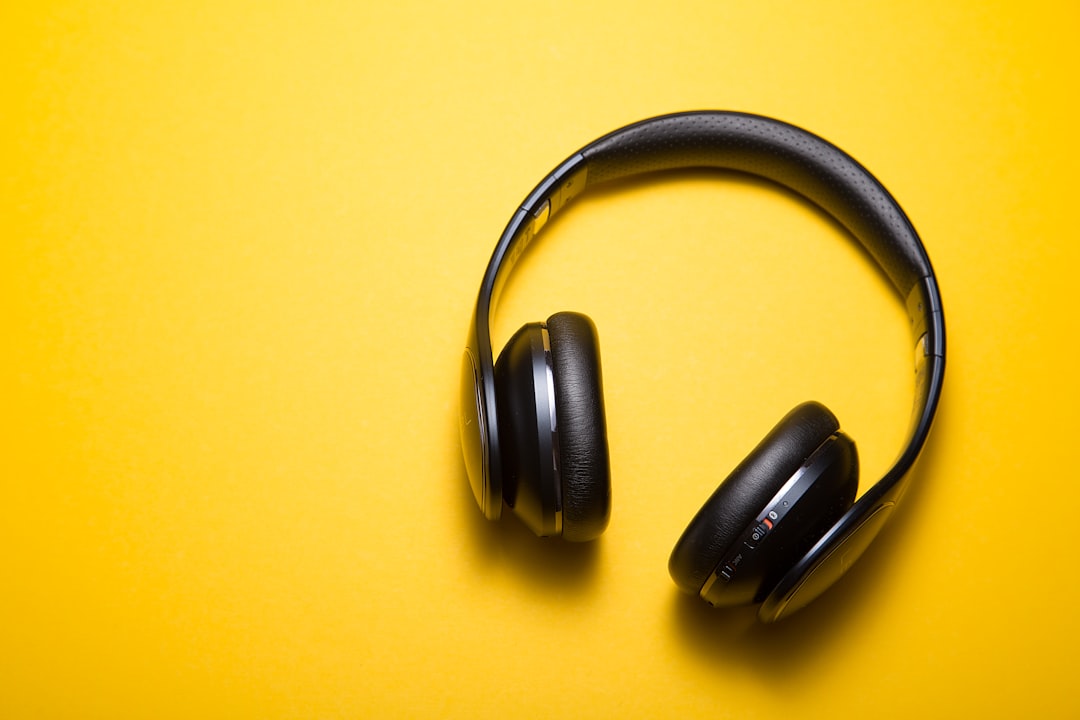
Executing the perfect play requires more than just skill; it demands absolute focus. In the critical moments of a match, a single distracting sound from the outside world—a dog barking, a nearby conversation, traffic—can mean the difference between victory and defeat. This is where finding the best noise cancelling headphones becomes less of a luxury and more of a core component of your competitive gear. This guide is your tactical playbook for selecting the perfect headset to silence the world and amplify your in-game awareness, ensuring you hear every crucial audio cue needed to dominate the lobby.
Why ANC is a Gamer’s Ultimate Tactical Advantage
Active Noise Cancellation (ANC) is not just for flights or quiet office work; for a gamer, it’s a strategic tool that directly impacts performance. Unlike passive noise isolation, which simply blocks sound with physical barriers like thick earcups, ANC uses sophisticated technology to create a cone of silence. It’s the digital equivalent of soundproofing your immediate environment on command.
Microphones on the outside of the earcups listen to ambient noise, and an internal processor instantly generates an inverse sound wave to neutralize it. For gamers, this translates into three distinct competitive edges:
- Unhindered Audio Cue Detection: In titles like Valorant, Apex Legends, or Call of Duty, audio is data. The faint sound of an enemy reloading, planting a spike, or activating an ability are critical pieces of intel. ANC eliminates low-frequency background hums and chatter, clearing the audio spectrum so these subtle, game-winning sounds are heard with pristine clarity.
- Sustained Focus and Reduced Mental Fatigue: Your brain is constantly working to filter out background noise, even if you don’t consciously realize it. This process consumes mental energy. By removing that auditory clutter, ANC allows you to dedicate 100% of your cognitive resources to the game itself, reducing fatigue during long ranked sessions or tournament play.
- Total Immersion for Single-Player Campaigns: For walkthroughs and narrative-driven experiences, ANC is the key to complete immersion. The meticulously crafted soundscapes of games like Elden Ring or The Last of Us become vastly more impactful when the sounds of your real-world surroundings fade away, allowing the game’s atmosphere to fully envelop you.
The Tactical Playbook: How to Choose the Best Noise Cancelling Headphones for Gaming
Selecting the right hardware is the first step in any successful campaign. This process isn’t about picking the most expensive model; it’s about matching the equipment to the mission. We will approach this like any other strategy guide: with a clear objective, thorough preparation, and a step-by-step execution plan.
Objective: Acquire the Optimal Headset for Your Gaming Needs
The goal is to select a pair of noise cancelling headphones that provides a measurable competitive advantage by enhancing audio perception, ensuring clear communication, and maintaining comfort over extended play sessions, all while fitting your specific platform and budget.
Preparation: Pre-Mission Gear Assessment
Before you even look at a single product page, you must define your operational parameters. Answering these questions first will prevent you from making a costly mistake. This is your loadout screen; choose your prerequisites wisely.
- Primary Platform: Are you on PC, PS5, Xbox Series X/S, or Nintendo Switch? Platform compatibility is non-negotiable. A headset with a USB-C dongle might be perfect for PC and PS5 but useless for an Xbox, which often requires a specific “Designed for Xbox” wireless protocol.
- Gaming Genre Focus: Your main game type dictates your priorities. A competitive FPS player needs pinpoint positional audio and near-zero latency above all else. An RPG or strategy player might prioritize a wider, more cinematic soundstage and comfort for marathon sessions.
- Communication Needs: Is a crystal-clear microphone essential for team-based play? If you primarily play solo, you can de-prioritize mic quality in favor of better audio or ANC performance.
- Environment Analysis: How noisy is your typical gaming environment? If you’re in a quiet room, moderate ANC might suffice. If you’re dealing with loud roommates, construction noise, or a shared living space, then top-tier, adaptive ANC becomes a critical feature.
- Budget Allocation: Determine your maximum spend. This will immediately narrow the field and focus your research on a realistic set of options. We will cover what to expect at different price tiers later.
The Strategy: Step-by-Step Execution for a Perfect Choice
With your prerequisites defined, it’s time to execute the selection strategy. Follow these steps methodically to analyze your options and make a data-driven decision.
-
Step 1: Prioritize Connection Type for Latency Control
Latency is the delay between an action happening in the game and you hearing the corresponding sound. For gaming, high latency is a critical failure. The best strategy to win at a game that relies on reaction time is to minimize every possible source of delay. Your connection type is the biggest factor here.
- Wired (3.5mm or USB): The gold standard for zero latency. This is the most reliable connection for competitive play, offering a direct, uncompressed audio signal.
- 2.4GHz Wireless (USB Dongle): The best wireless option for gaming. This dedicated connection provides ultra-low latency that is virtually indistinguishable from a wired connection. This is the choice for most high-end wireless gaming headsets.
- Bluetooth: Use with extreme caution for gaming. Standard Bluetooth codecs (like SBC and AAC) have noticeable latency that can get you eliminated in fast-paced games. If you must use Bluetooth, look for support for an aptX Low Latency or aptX Adaptive codec, but be aware that both your headphones and your device must support it. Many “lifestyle” ANC headphones are Bluetooth-only.
-
Step 2: Evaluate Audio Driver and Soundstage Performance
Don’t be swayed by marketing terms like “7.1 Surround Sound,” which is almost always virtual. What truly matters is the quality of the stereo drivers and the design of the earcups, which together create the “soundstage.”
A wide soundstage makes it feel like sounds are coming from all around you, not just from two points next to your ears. This is crucial for positional audio—hearing exactly where footsteps or gunfire are coming from. Look for reviews that specifically mention positional accuracy and a neutral sound profile, which ensures that no single frequency (like explosive bass) drowns out more subtle, critical audio cues.
-
Step 3: Scrutinize the Microphone’s Clarity and Features
If you play team games, your microphone is as important as your speakers. A muffled, quiet, or background-noise-filled mic handicaps your entire team. Look for a boom microphone, as they are physically closer to your mouth and offer the best voice isolation.
Key features to look for are noise-cancellation (on the mic itself, to filter out your keyboard clicks), a cardioid pickup pattern (which primarily captures sound from directly in front of it), and a sidetone/mic monitoring feature, which lets you hear your own voice in the headset so you don’t end up shouting.
-
Step 4: Assess Comfort and Build Quality for Endurance
A headset can have the best specs in the world, but if it’s uncomfortable, it’s useless for any session longer than 30 minutes. Pay close attention to these factors:
- Weight: Lighter is generally better to reduce neck strain. Anything under 350 grams is considered good.
- Clamping Force: How tightly the headset grips your head. This is subjective, but an adjustable headband is a must.
- Earcup Material: Leatherette provides better passive isolation but can get hot. Velour or breathable fabric is cooler but isolates less sound. Hybrid pads often offer the best of both worlds.
- Earcup Size and Depth: The earcups should be large enough to fit completely around your ears, not sit on them. There should be enough depth so your ear doesn’t touch the driver inside.
-
Step 5: Analyze the ANC Implementation
Not all Active Noise Cancellation is created equal. The best noise cancelling headphones often feature “adaptive” or “hybrid” ANC. Hybrid ANC uses microphones both on the outside and inside of the earcup for more accurate cancellation across a wider range of frequencies.
Adaptive ANC automatically adjusts the level of cancellation based on the noise in your environment. For gaming, also check if the ANC introduces any noticeable “hiss” or pressure, and confirm that it doesn’t negatively alter the audio signature of the game. Some headsets allow you to adjust the ANC level, which is a valuable feature.
Common Pitfalls: Post-Match Debrief on Poor Choices
Many players make predictable errors when choosing a headset. Learning from their mistakes will ensure your investment pays off.
- The “Lifestyle Headphone” Trap: Buying a top-tier travel headphone (like a Sony WH-1000XM5 or Bose QC Ultra) and expecting it to be a top-tier gaming headset. While their ANC is superb, they often rely on Bluetooth (high latency) and have subpar internal microphones compared to a dedicated gaming headset with a boom mic. They can be made to work on PC with a separate mic, but it’s a compromise.
- Ignoring Ergonomics: Focusing solely on audio specs and ending up with a headset that causes headaches or sore ears after an hour. Always prioritize comfort for marathon gaming.
- The Latency Blindspot: Not understanding the critical difference between 2.4GHz wireless and Bluetooth. For any fast-paced game, a 2.4GHz dongle is mandatory for a wireless experience.
- Forgetting Platform Lock-in: Buying a great PS5 headset that is completely incompatible with your Xbox, forcing another purchase later. Always verify cross-platform compatibility.
Frequently Asked Questions (FAQ)
Are the best noise cancelling headphones worth it for competitive gaming?
Absolutely, provided you choose the right type. A gaming-focused headset with excellent ANC and, critically, a low-latency connection (wired or 2.4GHz wireless) is a powerful competitive tool. It enhances your ability to detect subtle audio cues like footsteps, reloads, and ability activations by eliminating distracting background noise. This allows for quicker reactions and better positional awareness, which can directly translate to more wins. However, choosing a high-latency Bluetooth ANC headphone for competitive gaming would be a detriment to your performance.
Can I use popular headphones like the Sony WH-1000XM series or Bose QuietComfort for gaming?
You can, but with significant caveats. These headphones are leaders in ANC and audio quality for music and media, but they are not designed for gaming. Their primary connection method is Bluetooth, which introduces significant audio lag unacceptable for most games. You can use them wired via a 3.5mm cable to eliminate latency, but their built-in microphones often do not work in wired mode, requiring you to purchase a separate microphone like a ModMic or use a standalone USB mic. For casual, single-player games, they can be a good all-in-one solution, but for multiplayer, a dedicated gaming headset is almost always a better strategy.
Is a wired or wireless connection better for noise cancelling gaming headphones?
This comes down to a trade-off between performance purity and convenience.
- Wired: Offers a guaranteed zero-latency, lossless audio connection. It requires no charging and is often less expensive. The downside is the cable, which can be cumbersome. This is the top choice for pro players and anyone prioritizing absolute reliability.
- Wireless (2.4GHz): Offers freedom of movement with a latency so low it’s imperceptible from wired for 99% of players. This is the best of both worlds for most gamers. The only downsides are the need to keep the battery charged and the potential for rare interference in very crowded wireless environments.
Standard Bluetooth wireless is not recommended for serious gaming due to its inherent latency issues.
How much should I expect to spend on a quality pair of ANC gaming headphones?
The market can be broken down into rough budget tiers.
- $100 – $150 (Entry-Level): In this range, you’ll find headsets with decent audio and competent ANC, but there will be compromises. The build might be more plastic, the mic might be average, and the ANC won’t compete with premium models.
- $150 – $250 (Mid-Range/Sweet Spot): This is the sweet spot for most gamers. You can find headsets with excellent low-latency wireless, strong audio performance, great comfort, a clear microphone, and effective ANC. Build quality is significantly improved here.
- $250+ (Premium/Enthusiast): At this price point, you’re paying for the best of everything: top-tier ANC performance, premium materials (metal headbands, plush memory foam), advanced features like hot-swappable batteries or simultaneous Bluetooth/2.4GHz connections, and often superior driver technology for the most detailed sound.
Conclusion
Choosing the best noise cancelling headphones is a strategic mission that directly impacts your gaming performance. By moving beyond marketing hype and methodically analyzing your needs against key performance metrics—latency, audio fidelity, mic clarity, and comfort—you transform a simple purchase into a tactical upgrade. Silencing the noise of the outside world is the first step to amplifying your focus, hearing your enemy before they hear you, and ultimately, securing the victory screen.
Be sure to comment below if this article helped you!
Leave a Reply