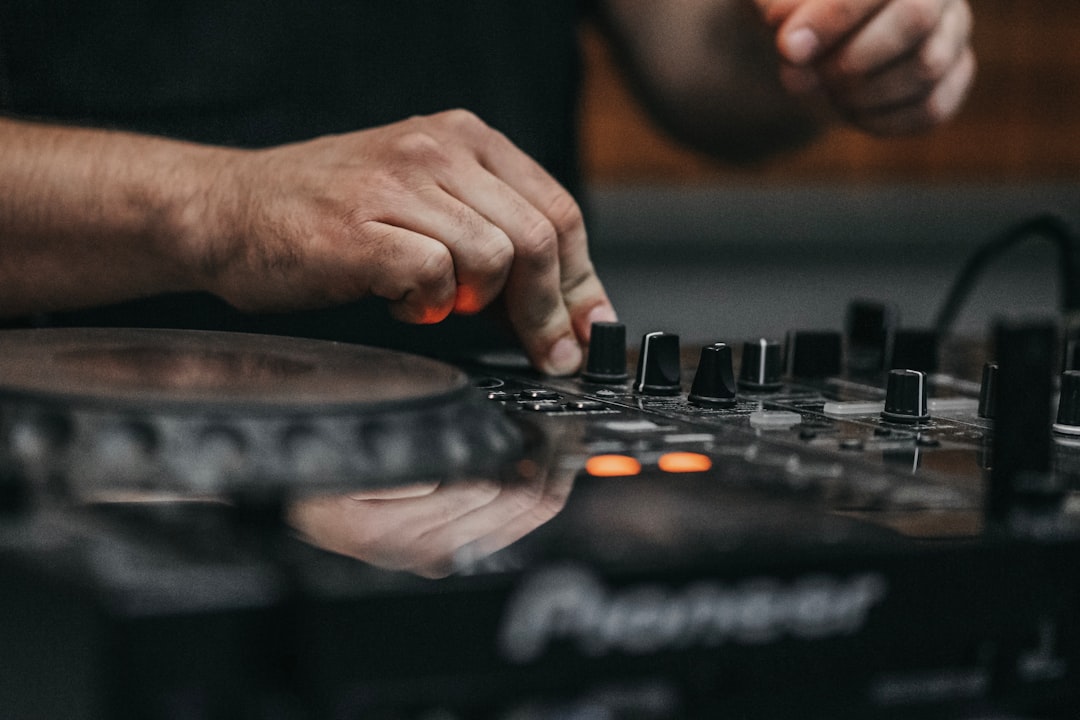
Learning how to make a beat can feel like tackling the final boss of a notoriously difficult rhythm game. You’re facing a blank screen—the Digital Audio Workstation (DAW)—with an overwhelming number of tools and no clear path to victory. But just like any complex level, beat making isn’t about magic; it’s about strategy, preparation, and executing a series of precise steps. This guide is your tactical playbook, designed to take you from a blank project file to a polished, head-nodding beat.
We’ll break down the entire process into clear, actionable phases. Forget aimless clicking and confusing tutorials. It’s time to learn the core mechanics, master the sequence, and create a beat that sounds professional and complete.
Objective: Defining Your Victory Condition
Before you drop a single note, you must define what “winning” looks like. Are you aiming to create a simple 8-bar loop to practice on? Or is the goal a fully structured 3-minute track with an intro, verses, and a chorus? Having a clear objective prevents you from getting lost in endless tweaking.
For this guide, our primary objective is to create a complete 8-bar loop containing drums, a bassline, and a melody. This is the fundamental building block of nearly every beat. Once you master this “level,” you can move on to the more advanced “quest” of full song arrangement.
Preparation: Assembling Your Loadout
Entering a boss fight without the right gear is a recipe for failure. The same principle applies to beat making. Before you begin, you need to assemble your digital loadout. This preparation phase ensures you have the necessary tools to execute your strategy without interruption.
- A Computer: A modern laptop or desktop with at least 8GB of RAM is sufficient to start. As your projects become more complex, 16GB or more is recommended to avoid performance lag.
- A Digital Audio Workstation (DAW): This is the software that acts as your central command center.
- Headphones or Studio Monitors: You need an accurate way to hear your sounds. Standard consumer speakers or earbuds often color the sound, which can lead to a poor mix. A decent pair of studio headphones is the best starting point.
- Sample Packs & VSTs: These are your sonic ammunition—the drum kits, synthesizers, and instruments you’ll use to build your track.
The Digital Audio Workstation (DAW): Your Command Center
The DAW is the most critical piece of your setup. It’s the virtual environment where you’ll arrange sounds, record melodies, and mix your track. While they all achieve the same goal, different DAWs have unique workflows, much like different character classes in an RPG. The best one is often the one you find most intuitive.
Popular choices for 2024 include:
- FL Studio: Highly popular in hip-hop and electronic music for its world-class piano roll and pattern-based workflow. It’s an excellent choice for beginners focused purely on beat making.
- Ableton Live: Praised for its fast, clip-based workflow and powerful live performance capabilities. It excels at quickly auditioning loops and ideas.
- Logic Pro X: A Mac-exclusive powerhouse known for its massive library of high-quality stock sounds, virtual instruments, and user-friendly interface. It offers incredible value for its price.
For this guide, the concepts are universal and can be applied to any DAW you choose. We recommend downloading a free trial of one or two to see which interface you prefer before committing.
Sound Selection: Your Arsenal
A beat is only as good as the sounds it’s made of. Starting with high-quality samples and instruments is a critical strategic advantage. You wouldn’t enter a high-level raid with starter gear; don’t try to make a professional beat with low-quality sounds.
Your arsenal consists of two main categories:
- Samples: These are pre-recorded audio files. Drum one-shots (a single kick, snare, or hi-hat sound) and loops (a pre-made drum or melody pattern) are the most common types. Websites like Splice and Loopcloud offer massive, subscription-based libraries of royalty-free sounds.
- VSTs (Virtual Studio Technology): These are software plugins that generate or process audio. VST Instruments (VSTi), like synthesizers or samplers, create sound. VST effects, like reverb or EQ, modify sound. Many DAWs come with a robust suite of stock VSTs that are more than capable of producing professional results.
The Strategy: A Step-by-Step Walkthrough on How to Make a Beat
With your objective set and your loadout prepared, it’s time to execute the core strategy. We will build an 8-bar loop from the ground up, focusing on one layer at a time. Think of this as a multi-stage boss battle; you must defeat each phase before moving to the next.
-
Phase 1: Setting the Tempo and Time Signature
Your first move is to set the project’s tempo, measured in BPM (Beats Per Minute). The tempo dictates the speed and energy of your track. A slower tempo (60-90 BPM) is common for lo-fi or classic hip-hop, while faster tempos (120-160+ BPM) are typical for house, trap, and drum and bass.
Action: Set your project tempo. For a standard hip-hop or pop feel, start somewhere between 85 and 100 BPM. Also, ensure your time signature is set to 4/4, which is the standard for most modern music. This means there are four beats in every measure.
The “Why”: Establishing the BPM first is like choosing the game’s difficulty. It provides the foundational grid upon which every other element will be placed. Changing it later can disrupt the timing and feel of your existing patterns.
-
Phase 2: Building the Drum Foundation
The drums are the backbone of your beat. A strong, consistent drum pattern provides the rhythm and energy for every other instrument to follow. We’ll start with the three core components: the kick, the snare, and the hi-hats.
Open your DAW’s step sequencer or piano roll. In a 4/4 measure, this grid is typically divided into 16 steps.
Action: The Basic Pattern
- The Kick: Place a kick drum on the 1st and 3rd beats of the measure (the 1st and 9th steps in a 16-step grid). This creates a simple, powerful pulse.
- The Snare: Place a snare or clap on the 2nd and 4th beats (the 5th and 13th steps). This is the classic “backbeat” that drives most popular music.
- The Hi-Hats: Start by placing a hi-hat on every 8th note (every two steps). This creates a steady, rhythmic “glue.” For a more modern trap feel, change the grid to 16th notes and place a hi-hat on every step, then experiment with removing some hits or adding faster rolls to create bounce.
The “Why”: This simple “kick-on-1-and-3, snare-on-2-and-4” pattern is a time-tested formula. It provides a stable rhythmic foundation that is instantly recognizable and easy for listeners to follow, allowing your melodies and bassline to shine.
-
Phase 3: Crafting the Harmony and Melody
With the drum foundation secure, it’s time to add the musical elements. This phase involves creating a chord progression (harmony) and a lead line (melody). If you’re unfamiliar with music theory, don’t panic. Think of scales as a “safe zone” on the game map—the notes within a scale are guaranteed to sound good together.
Action: Finding Your Notes
- Choose a Key: Start with a simple key like C Major (all the white keys on a piano) or A Minor (also all the white keys, but with a sadder feel). Most DAWs have a “Scale Highlighting” feature in their piano roll that will show you exactly which notes to use. Activate it.
- Lay Down Chords: Using a piano, electric piano, or synth pad sound, build a simple two-chord progression. For example, in A Minor, try building a chord on the note A and another on the note G. Let each chord sustain for two full beats. This simple back-and-forth creates a sense of movement.
- Write a Melody: On a separate track with a different instrument (like a synth lead, a bell, or a flute), create a simple, catchy melody using only the highlighted notes from your chosen scale. The key is to keep it simple and repetitive. A memorable melody often uses only 3-5 different notes.
The “Why”: Using a scale ensures your chords and melody are harmonically coherent. A simple, repetitive melody is more memorable and “hummable” than a complex one, which is crucial for making your beat stick in the listener’s head.
-
Phase 4: Adding the Bassline
The bassline is the critical link between your rhythmic and melodic elements. It provides the low-end frequency that gives a track weight and groove, while also reinforcing the chord progression.
Action: Following the Root
- Select a Bass Sound: Choose a bass sound that complements your track. An 808 bass is perfect for trap and modern hip-hop, while a synth bass or electric bass guitar might fit better in other genres.
- Follow the Root Notes: The simplest and most effective way to write a bassline is to have it play the root note of each chord. In our previous example (A minor chord, then G major chord), your bass would play the note A when the A minor chord hits, and the note G when the G major chord hits.
- Add Rhythmic Variation: Don’t just let the bass notes sustain. Create a rhythm with the bass that complements the kick drum pattern. Try having the bass hit at the same time as some of the kicks to create a powerful, unified groove.
The “Why”: By following the root notes of the chords, the bassline provides a solid harmonic foundation. When the bass and kick drum hit together, their frequencies combine to create a much more powerful and impactful low-end punch, making your beat feel fuller and more professional.
Advanced Tactics: How to Arrange a Beat from a Loop
You’ve successfully created your 8-bar loop. You’ve beaten the first level. Now, how do you turn that loop into a full track? The answer is arrangement. This is the process of structuring your song, much like a level designer maps out a player’s journey through a game, creating moments of tension and release.
Structuring Your Beat Like a Game Level
A static, unchanging loop is boring. A good arrangement guides the listener on a journey. The key is to introduce and remove elements over time to build and release energy. A typical song structure looks like this:
- Intro (4-8 bars): Start simple. Maybe just the melody or a filtered version of the drums to build anticipation.
- Verse (16 bars): Bring in the core elements—drums, bass, and chords—but keep it relatively sparse. This is where a vocalist would typically rap or sing.
- Chorus (8 bars): This is the peak energy section. Introduce all your elements, perhaps adding a new counter-melody or a more energetic drum pattern. The chorus should be the most memorable and impactful part of your beat.
- Verse 2 (16 bars)
- Chorus 2 (8 bars)
- Bridge (8 bars): Change things up. Drop out the drums and bass, leaving only the chords and a simple melody. This creates a moment of low energy, making the final chorus feel even bigger.
- Final Chorus (8-16 bars)
- Outro (4-8 bars): Deconstruct the beat. Fade elements out one by one until only a single instrument remains, bringing the track to a satisfying close.
Thinking about how to beat a game level is a perfect analogy for arrangement. You don’t throw every enemy at the player at once; you introduce challenges gradually, build to a climactic boss fight (the chorus), and provide moments of rest (the bridge) before the final push.
Mixing Fundamentals: Balancing Your Sound
Mixing is the technical process of ensuring all the elements in your beat work together harmoniously. The goal is to give each sound its own space so the final track sounds clear, balanced, and powerful, not muddy or cluttered.
- Leveling: The most important mixing tool is the volume fader. Start by turning all your tracks down. Bring the kick and snare up first to set the core groove. Then, slowly bring in each additional element, balancing its volume relative to the drums.
- Panning: Panning places sounds in the left-right stereo field. Keep your core elements like the kick, snare, and bass centered. Pan other elements like hi-hats, percussion, and melodies slightly to the left or right to create width and clarity.
- EQ (Equalization): EQ is used to cut or boost specific frequencies. A common beginner mistake is having too many instruments competing in the low-mid frequency range (200-500 Hz), which creates a “muddy” sound. Use an EQ to gently cut these frequencies from your melody and chord instruments to make space for the bass and kick.
Common Pitfalls: Why Players Fail This Level
Many aspiring producers get stuck and quit. Understanding these common failure points is key to pushing through and completing your objective.
- The Muddy Mix: This is the most common pitfall. It happens when too many sounds occupy the same frequency range, clashing with each other. The Fix: Be strategic with EQ. Cut unnecessary low frequencies from everything that isn’t a kick or a bass. Give each instrument its own primary frequency zone.
- Over-Complication (The “8-Bar Loop Trap”): Many beginners create an incredibly dense and busy 8-bar loop with 20 different layers, then realize they have no way to arrange it because it’s already at 100% energy. The Fix: Start simple. A great beat often has only 5-7 core elements. Create your main loop, then save other ideas for variation in the chorus or bridge.
- Analysis Paralysis: Spending hours trying to find the “perfect” snare sound or tweaking a synth knob endlessly. The Fix: Commit and move on. Use a sound that is “good enough” and maintain momentum. You can always go back and swap sounds or fine-tune settings later in the mixing stage.
Beat Making FAQ
What is the best DAW for beginners to make a beat?
For beginners focused specifically on making beats for genres like hip-hop and EDM, FL Studio is often recommended due to its intuitive pattern-based workflow and excellent piano roll. However, Ableton Live (with its Intro version) and Logic Pro X (for Mac users) are also fantastic starting points with more traditional workflows that can be better for recording and full song production. The best strategy is to download free trials and see which interface clicks with you.
Do I need to know music theory to make a beat?
No, you do not need a formal education in music theory to start making beats, but knowing the basics is a massive strategic advantage. Understanding simple concepts like scales and basic chord construction will dramatically speed up your workflow and improve the quality of your melodies. Use your DAW’s scale highlighting or “snap to scale” features as a learning tool; they are like built-in guides that prevent you from hitting “wrong” notes.
Where can I find high-quality sounds and samples?
There are many excellent resources available. For beginners, exploring the stock sounds that come with your DAW is the best first step; they are often high-quality and designed to work well together. When you’re ready to expand, subscription services like Splice offer millions of royalty-free samples for a monthly fee. You can also find countless free and paid sample packs on producer communities on Reddit (like r/Drumkits) and dedicated websites like Looperman.
How long should it take to make a beat?
This varies wildly based on experience and complexity. A beginner might spend several hours or even days crafting their first complete loop. An experienced producer might create a simple but effective beat in 30 minutes. The key is not to focus on speed, but on finishing. Set a timer for 60-90 minutes and aim to complete a full 8-bar loop in that session. This trains you to make decisions and avoid getting stuck.
Conclusion
Learning how to make a beat is a game of incremental progress. Your first beat won’t be a masterpiece, just as your first run through a new level is rarely perfect. The goal is to master the fundamental sequence: tempo, drums, harmony, bassline, and arrangement. By treating the process as a strategy to be learned and executed, you demystify the art and turn it into an achievable skill.
Load up your DAW, follow this playbook, and practice consistently. With each completed beat, you’ll gain experience points, refine your tactics, and get one step closer to that victory screen.
Be sure to comment below if this article helped you!
Leave a Reply